Optimism brand guidelines
Optimism provides a single-page brand portal featuring logos, token icons, the OP Mainnet symbol, and downloadable assets.
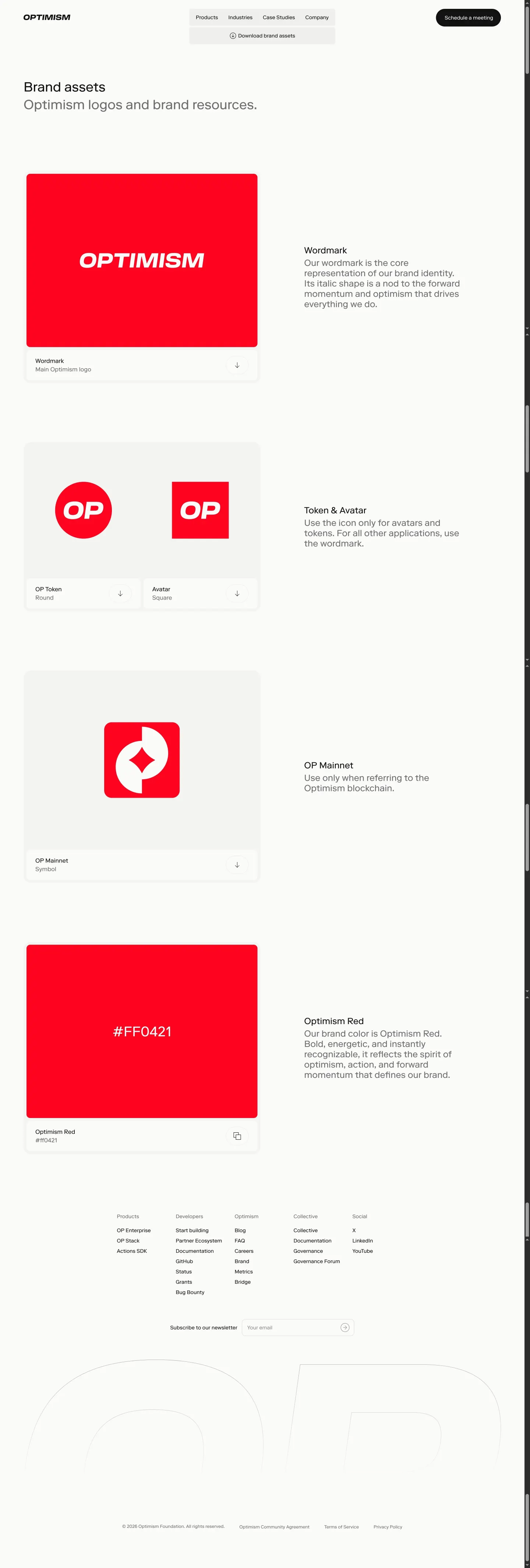
Optimism brand assets page presenting logos, token icons, and the core brand color with download links.
Want a brand center like Optimism’s?
Create your brand center with Freedam ↗Freedam's take
I like how Optimism keeps its brand hub focused and clear. The single-page layout gathers everything a builder needs without clutter, leading with the italicized wordmark, round OP Token, and square Avatar. There is a dedicated section for the OP Mainnet symbol, and the core Optimism Red is showcased as a bold swatch paired with a quick-copy hex code button. Each card includes its own download trigger alongside a global brand kit archive at the top. It delivers essential identity assets directly and without friction.
At a glance
- Sections
- Brand assets · Wordmark · Token & Avatar · OP Mainnet · Optimism Red
- Downloads
- ZIP
- Tone
- Direct, developer-oriented, and functionally focused.
What I noticed
- The brand page includes dedicated sections for Wordmark, Token & Avatar, OP Mainnet, and Optimism Red.1234
- A global download button provides a packaged brand kit archive, while individual download buttons accompany each asset card.567
- The Optimism Red color is presented in a large solid block featuring a copyable hex code button.8
- The layout focuses primarily on rapid utility for developers and ecosystem partners rather than comprehensive design theory.
Numbers refer to the screenshots above.
What I could not see
- No typography specimens, type scale hierarchies, or font licensing details are visible on the page.
- Motion principles, spacing guides, and application mockups were not captured.
Ideas to borrow
- Include one-click copyable hex codes directly on large color swatch displays to streamline asset extraction for creators.8
Quick answers
Reviewed on 26 September 2026. Request a correction · I built this
Similar brand centers
All brand guidelines →Optimism organizes its assets across a single-page list featuring distinct sections for its wordmark, token, avatar, and mainnet symbol. In contrast, Base provides a multi-section guide covering deeper systems like bespoke typography, motion presets, and messaging style rules.