 Shopify
Technology
Press & asset kit
Hugging Face provides a single-page brand asset hub featuring vector and raster logo variants, hex color swatches, boilerplate bio copy, and mascot illustrations.
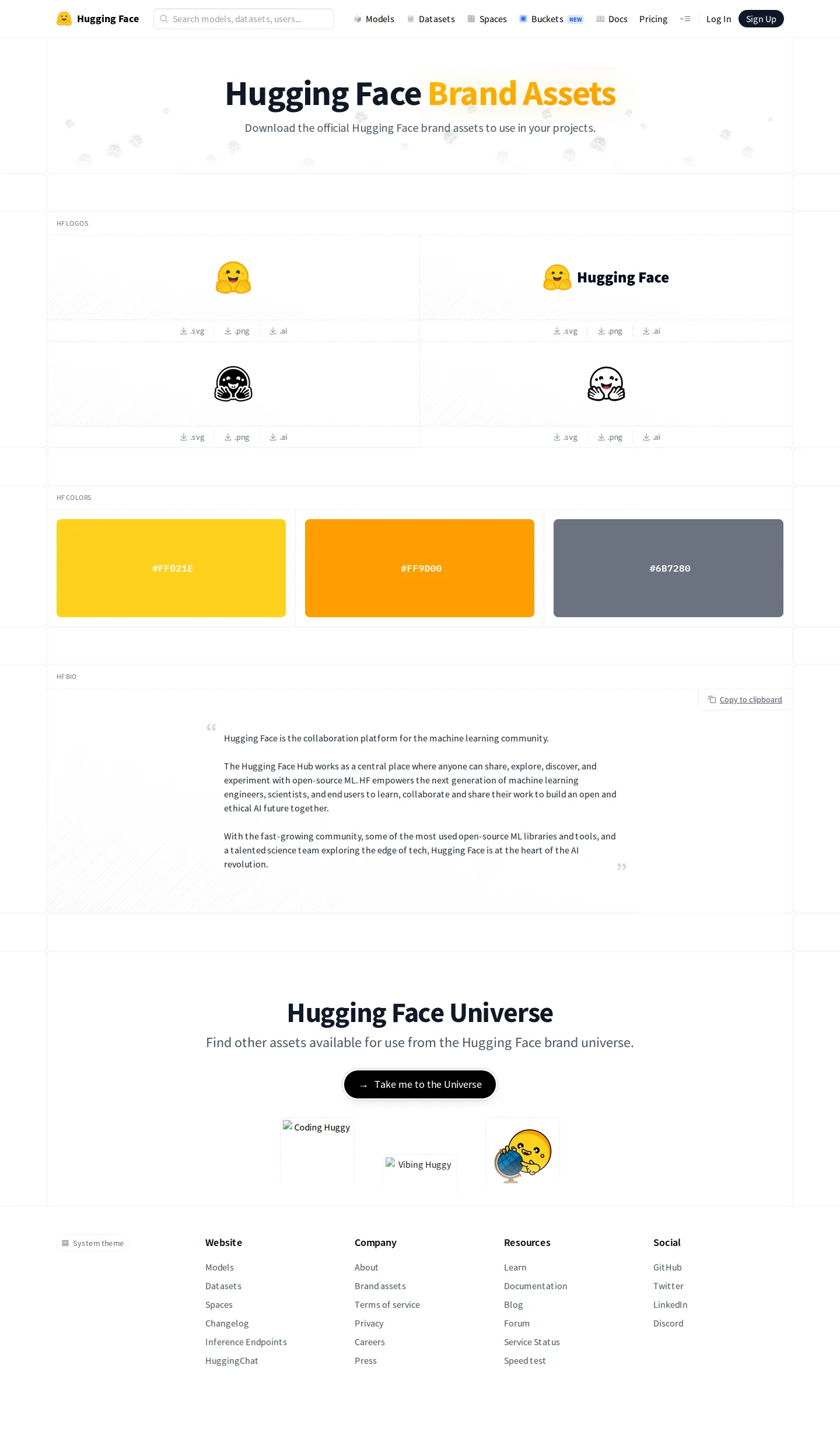
The Hugging Face brand page displays logo variants with SVG, PNG, and AI downloads, color swatches with hex values, press boilerplate, and mascot graphics.
Want a brand center like Hugging Face’s?
Create your brand center with Freedam ↗I like how direct Hugging Face keeps this brand page. Everything lives on a single view, starting with clear downloads for their smiling emoji mark in SVG, PNG, and AI formats. Alongside the classic mark, you get the combined lockup, monochrome variants, and even a pirate version. Below the marks, they show core color swatches with hex values, plus ready-to-copy bio text for press mentions. The bottom opens into the Hugging Face Universe with illustrations of the Huggy mascot. It gives creators and partners exactly what they need without unnecessary friction.
Numbers refer to the screenshots above.
Logo variants including the primary emoji, lockup with title, monochrome, and pirate versions are available directly on the brand page in .svg, .png, and .ai formats.15678
The brand page features an HF Bio section providing official descriptive boilerplate text with a one-click 'Copy to clipboard' button.9
Reviewed on 25 September 2026. Request a correction · I built this
Hugging Face provides direct individual file downloads (.svg, .png, .ai) beneath each logo variation, whereas Shopify relies on grouped ZIP archive downloads alongside clear space and sizing rules. Discord also supplies dedicated sections for clearspace and legal terms, while Hugging Face keeps its single page focused on quick asset retrieval, hex swatches, and bio copy.