ESLint brand guidelines
A clean, single-page brand guide for ESLint covering name capitalization rules, logo clear space, background toggles, asset downloads, and color swatches.
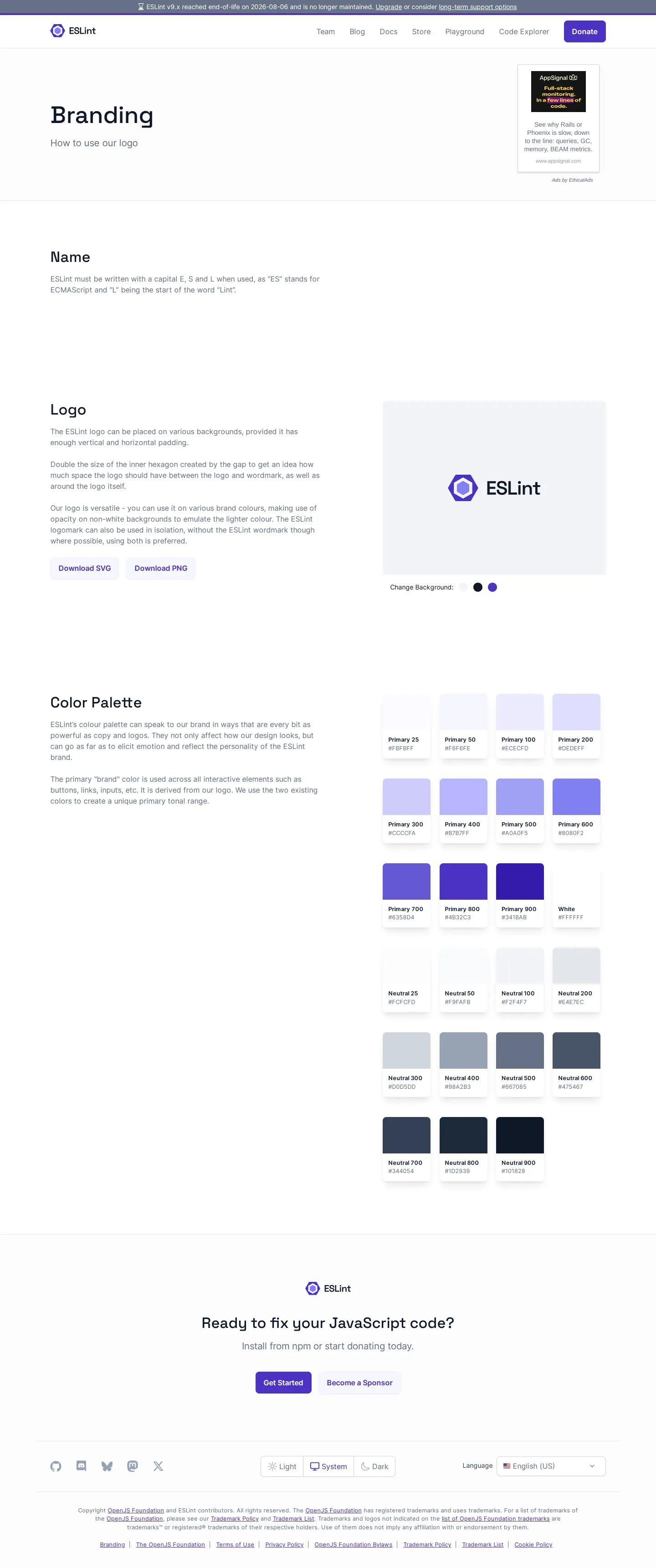
ESLint branding guide showing name rules, logo clear space, SVG and PNG downloads, background preview toggles, and color swatches.
Want a brand center like ESLint’s?
Create your brand center with Freedam ↗Freedam's take
I like how concise and functional ESLint keeps its branding page. Instead of overwhelming visitors with extensive brand storytelling, it focuses directly on what developers and partners need most. You get exact rules on spelling and capitalizing ESLint, simple clear space instructions derived from the logo's inner hexagon, and direct buttons to grab SVG or PNG files. The interactive preview area letting you test the mark against three different background shades is a practical touch. It wraps up with organized color swatches showing shade names and hex codes.
At a glance
- Sections
- Name · Logo · Color Palette · Ready to fix your JavaScript code? · Theme Switcher
- Downloads
- SVG, PNG
- Tone
- Direct, practical, and developer-focused documentation.
What I noticed
- The Name section outlines explicit capitalization guidance for the brand name 'ESLint'.1
- The Logo section defines clear space requirements based on the inner hexagon gap.2
- Direct download buttons are provided for the logo in SVG and PNG formats.345
- The logo preview includes three interactive color circles to switch the preview background.6
- The Color Palette organizes swatches into Primary, Neutral, and White scales, displaying shade names and hex codes.78
Numbers refer to the screenshots above.
What I could not see
- No guidance on typography, font downloads, or voice and tone was visible on the captured page.
- No dos and don'ts or sample application mockups were documented on the screen.
Ideas to borrow
Quick answers
Where can I download the ESLint logo?
You can download the official ESLint logo directly in SVG and PNG formats via the download buttons in the Logo section.345
What are the rules for writing the brand name?
The page includes a dedicated Name section detailing specific capitalization rules for 'ESLint'.1
Reviewed on 25 September 2026. Request a correction · I built this