Zid brand guidelines
Zid Brand Guidelines provides a multi-page reference covering logos, color, typography, marketing assets, and photography, linking directly to external asset folders.
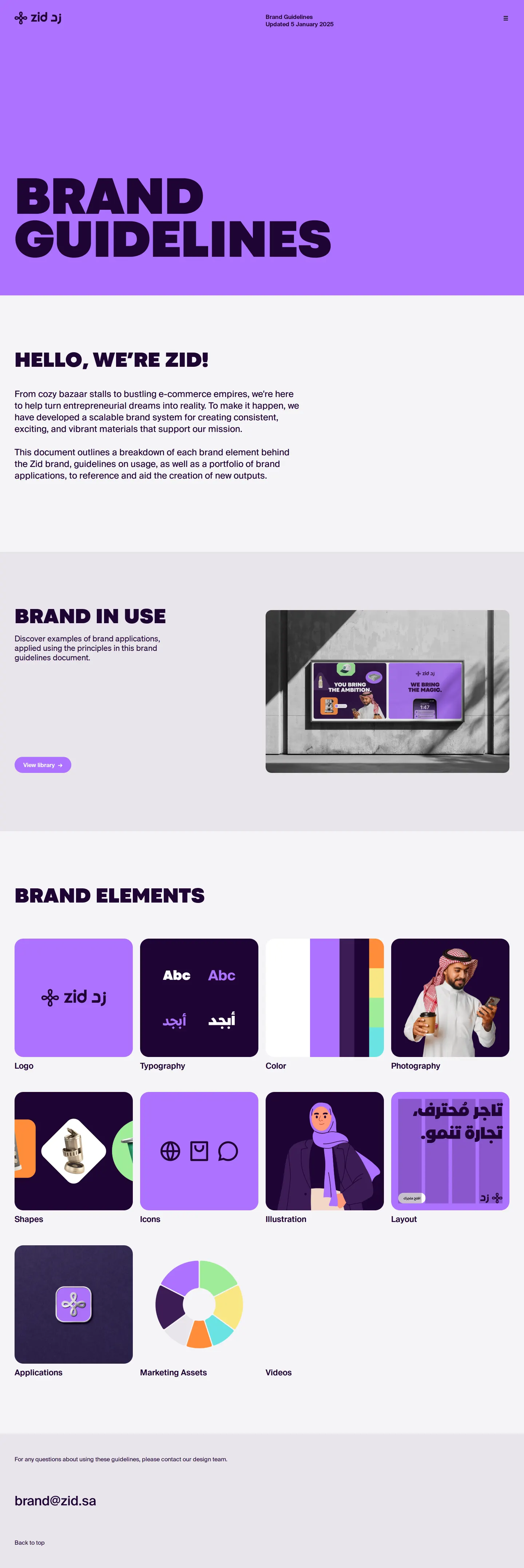
The Zid Brand Guidelines homepage hero showing a bold purple background and bilingual header.


Typography guidelines header with an introductory statement on clear communication and brand personality.

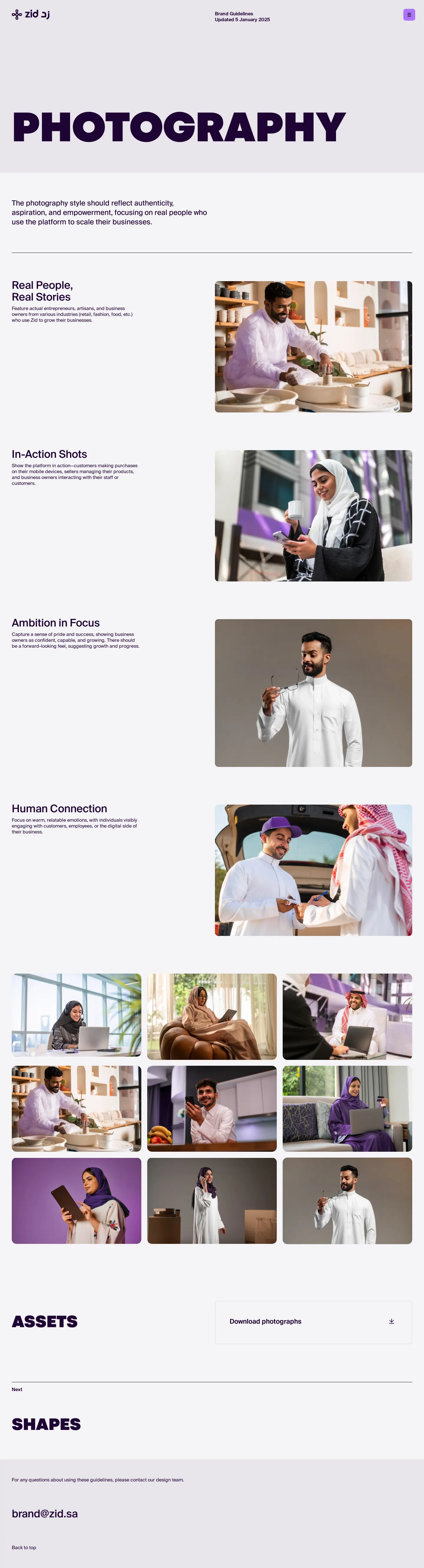
Photography guidelines header highlighting authentic, aspirational imagery of people using the platform.
Want a brand center like Zid’s?
Create your brand center with Freedam ↗Freedam's take
I like how clear Zid keeps their brand guidelines portal. When I look through the site, every section greets you with heavy sans-serif typography and consistent purple framing. Instead of hosting complex internal file distribution systems, they simply link visitors out to organized Google Drive folders for logos, product marks, typefaces, and photography. The bilingual English and Arabic header anchors every page alongside an explicit update date. It is a straightforward, functional approach for teams wanting to distribute production assets quickly without building custom infrastructure.
At a glance
- Sections
- Logo · Color · Typography · Marketing Assets · Photography
- Tone
- Bold, structured, and functional with an emphasis on bilingual identity and direct asset access.
What I noticed
- The site marks its content revision directly in the header with 'Brand Guidelines Updated 5 January 2025'.123
- Asset downloads for logos, product marks, fonts, and photography route to Google Drive links.4567
- The top navigation bar displays a bilingual Zid logo featuring both Latin and Arabic script.893
- Using Google Drive links offers an accessible way to keep downloadable files updated without redeploying the guideline portal.
Numbers refer to the screenshots above.
What I could not see
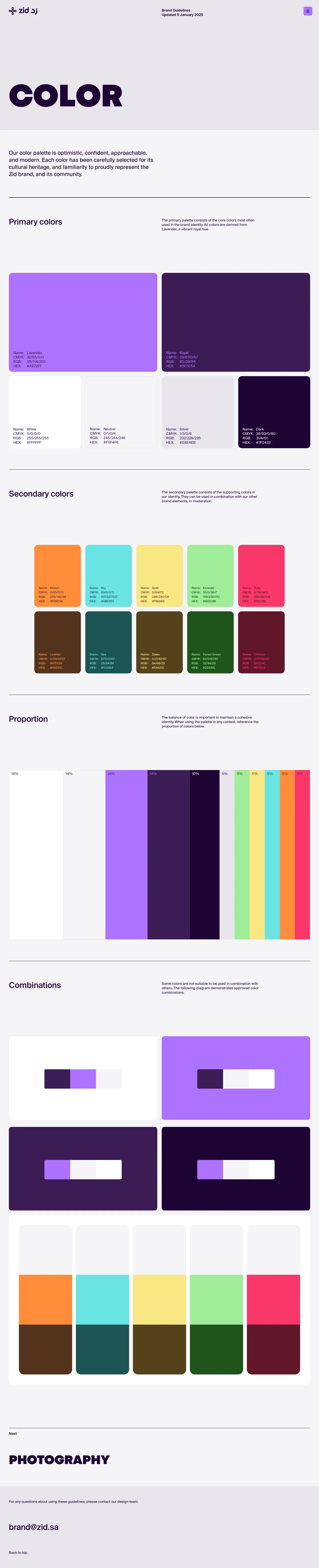
- Could not view the contents inside the color and marketing assets pages.
- Could not inspect the open navigation menu or full page bodies below the hero views.
- Could not verify individual file formats within the external Google Drive folders.
Ideas to borrow
Quick answers
Where can I download the Zid logos?
Logo and product logo downloads are accessible via Google Drive links on the Logo page.45
Does Zid provide font downloads?
Yes, font files can be downloaded through a Google Drive link found on the Typography page.6
Where are Zid photography assets available?
Brand photographs are provided through a Google Drive download link on the Photography page.7
Reviewed on 25 September 2026. Request a correction · I built this