The Ohio State University brand guidelines
The Ohio State University Brand Center serves as an entry portal routing university members through credentials and external audiences through a dedicated request area.
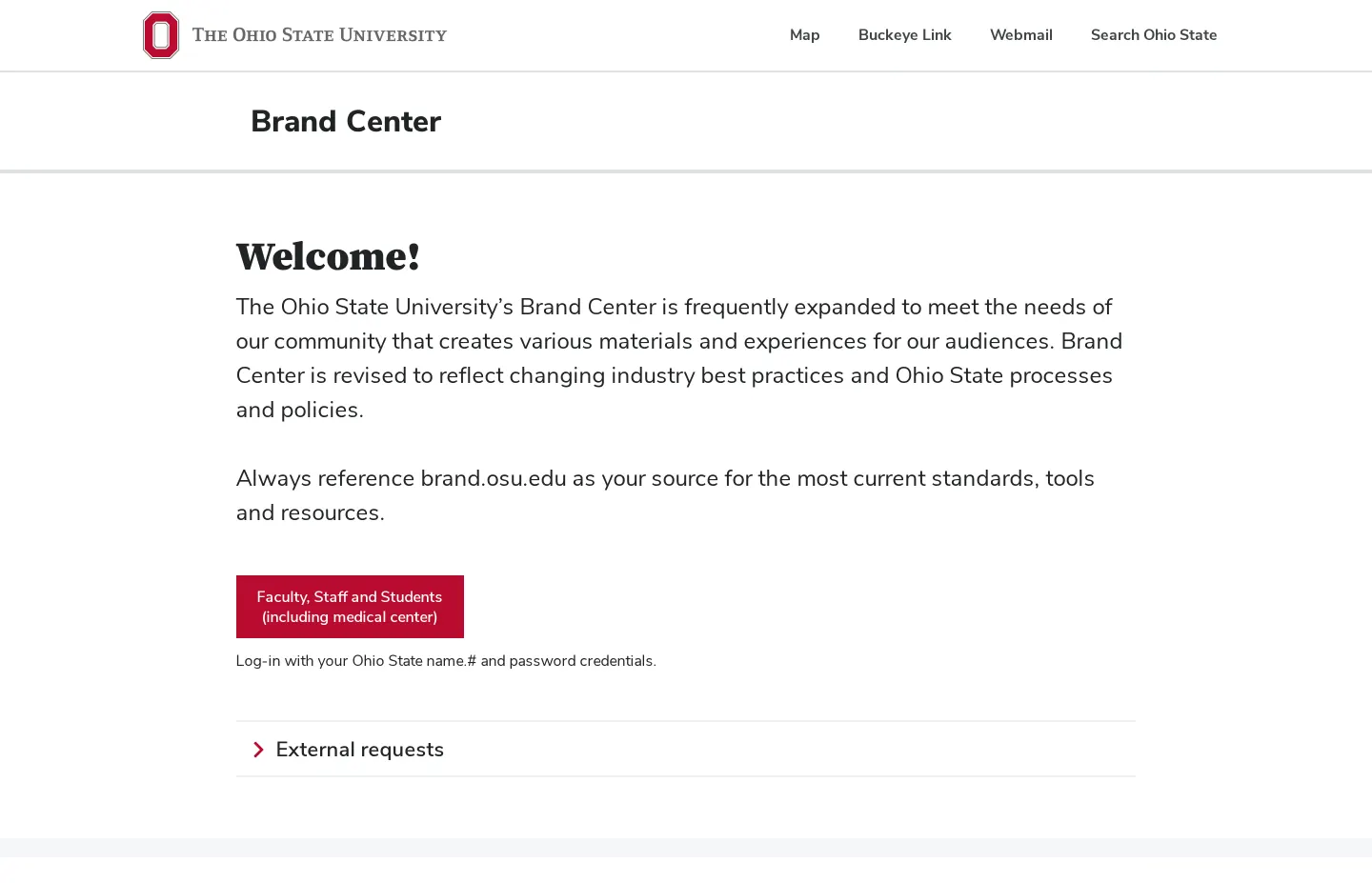
The Ohio State University Brand Center landing page featuring login options for campus members and an expandable external requests section.
Want a brand center like The Ohio State University’s?
Create your brand center with Freedam ↗Freedam's take
When I looked at The Ohio State University brand site, I noticed it serves primarily as an access gate rather than an open showcase. The front page welcomes visitors with clear routing divided between university community members and external audiences. Faculty, staff, and students log in using their standard campus credentials, while outside partners access a dedicated expandable section for external requests. I find this split useful for large institutions that must separate internal toolkits from external inquiries right at the front door.
At a glance
- Sections
- Brand Center · Welcome! · External requests
- Tone
- An institutional access gateway directing community members and external inquiries to brand resources.
What I noticed
- The Brand Center landing page provides a login button labeled 'Faculty, Staff and Students (including medical center)'.1
- Login requires Ohio State name.# and password credentials.2
- The page includes an expandable section titled 'External requests'.3
- The header includes utility navigation links for Map, Buckeye Link, Webmail, and Search Ohio State.45678
Numbers refer to the screenshots above.
What I could not see
- The internal brand guidelines, identity specifications, and asset downloads are restricted behind credentialed login and could not be viewed.
Ideas to borrow
Quick answers
Reviewed on 26 September 2026. Request a correction · I built this
Similar brand centers
All brand guidelines →