Reaktor brand guidelines
Reaktor's online brand guidelines present brand strategy, modular messaging pitches, voice rules, and core identity specs alongside linked asset folders.
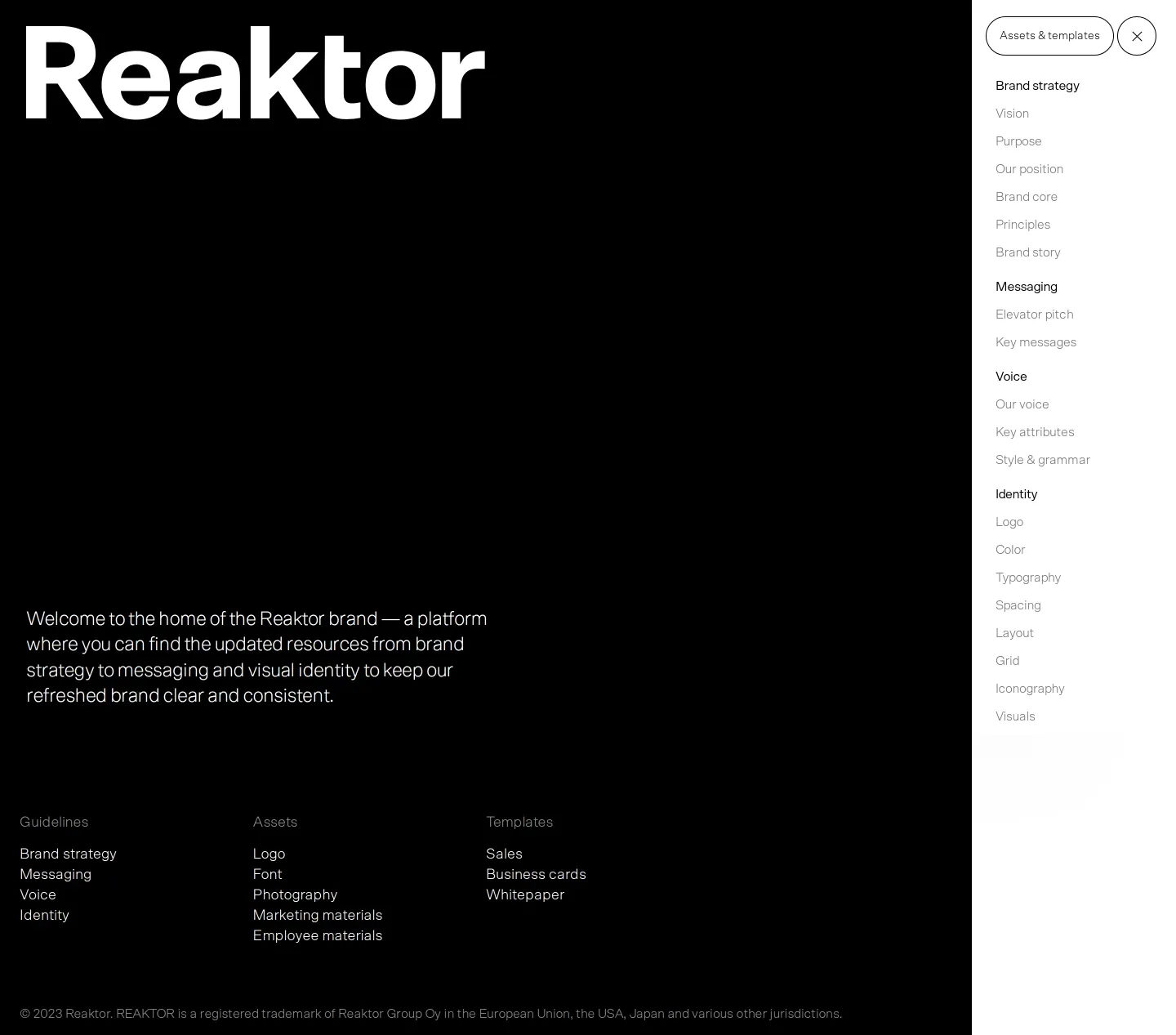
Reaktor brand guidelines landing page with dark backdrop and expanded navigation menu.


Reaktor brand voice chapter detailing persona attributes, grammar standards, and usage examples.
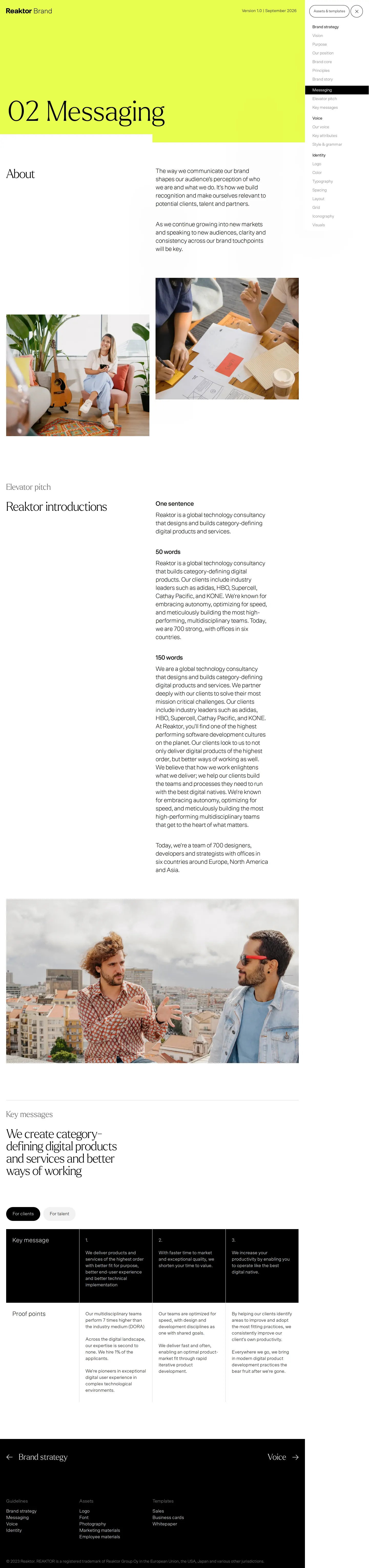
Reaktor messaging page presenting multi-length elevator pitches and audience-filtered key messages.

Reaktor visual identity section outlining logo construction, sub-brands, and color codes.
Want a brand center like Reaktor’s?
Create your brand center with Freedam ↗Freedam's take
I like how cleanly Reaktor structured this brand portal. Rather than burying voice rules inside design documentation, they give writing equal weight right beside identity. I found their messaging section especially practical: offering elevator pitches tailored into one-sentence, 50-word, and 150-word lengths saves everyone time when pitching or writing bios. The identity rules keep things simple too, pairing clear logo exclusion zones with an external link button to grab actual assets. It feels deliberate, direct, and built to be used rather than admired from a distance.
At a glance
- Sections
- Brand strategy · Messaging · Voice · Identity · Assets & templates
- Tone
- Direct, structured, and practical tone focused on clear editorial and identity execution.
What I noticed
- The guide organizes content into four primary chapters: Brand strategy, Messaging, Voice, and Identity.1234
- The Messaging section presents elevator pitch variants tiered into One sentence, 50 words, and 150 words.5
- Key messages can be toggled between 'For clients' and 'For talent' audiences and are mapped to concrete proof points.67
- The Voice chapter defines the brand voice persona as 'Artist at the gallery opening' and uses side-by-side 'Do' and 'Don't' guidance.89
- The Identity page includes an external link button to a 'Logos Folder' alongside construction rules and clearspace measurements.1011
Numbers refer to the screenshots above.
What I could not see
- Could not inspect the contents of the external 'Logos Folder' or the linked 'Assets & templates' destination.
- Could not view individual subpages under Typography, Spacing, Layout, or Grid beyond the high-level identity screen.
Ideas to borrow
- Offering copywriters and team members elevator pitch copy calibrated into specific lengths (single sentence, 50 words, 150 words) simplifies drafting bios and collateral.5
- Separating key messages using interactive audience toggles like clients versus talent clarifies storytelling across distinct user groups.6
Quick answers
Where can Reaktor logo files be found?
The Identity section provides a 'Logos Folder' button that links directly to external logo assets.10
What lengths are available for the Reaktor elevator pitch?
The messaging page provides elevator pitches in three standardized lengths: One sentence, 50 words, and 150 words.5
Reviewed on 26 September 2026. Request a correction · I built this
Similar brand centers
All brand guidelines →