JetBrains brand guidelines
JetBrains provides practical trademark rules, copyable attribution text, product logo downloads, color values, and community desktop wallpapers.

JetBrains brand guidelines page with usage rules, trademark legal details, logo downloads, partner badges, and color palette swatches.
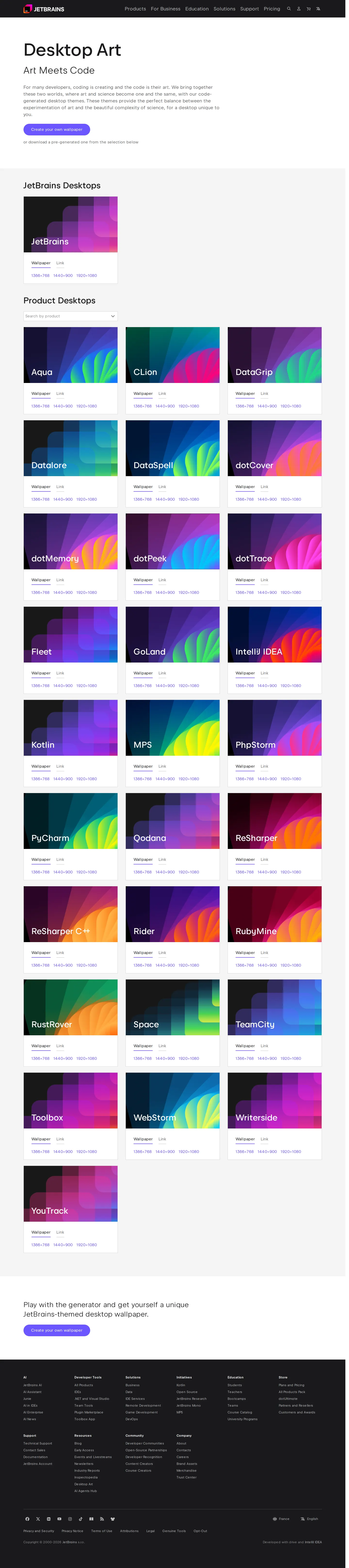
Desktop Art gallery presenting resolution-specific wallpaper downloads for JetBrains products and a custom wallpaper generator.
Want a brand center like JetBrains’?
Create your brand center with Freedam ↗Freedam's take
I like how pragmatic the JetBrains guidelines feel. Instead of burying partners in long visual essays, the documentation jumps right into real-world mechanics. You find clear dos and don'ts covering events and social media, precise trademark attribution strings ready to copy, and dropdown selectors for company and product icons. Alongside the functional asset packages, they offer a desktop art gallery where community members can grab wallpapers for individual developer tools or build their own with a generator. It bridges developer tooling utility with genuine brand expression.
At a glance
- Sections
- Brand Guidelines · Dos · Don’ts · Further Legal Information · Trademark List · Logos and Icons · Color Palette · Desktop Art
- Downloads
- .zip, .png
- Tone
- Clear, practical, and legally thorough instruction tailored for developers, partners, and community members.
What I noticed
- The Brand Guidelines section details exact trademark attributions and capitalization standards accompanied by copyable code snippets.1
- The logos and icons section uses dropdown menus to filter and browse company logos, individual product logos, and product icons.2
- The color palette tool provides swatches with value format toggles across HEX, RGB, CMYK, and Pantone.3
- A dedicated Desktop Art page provides wallpapers for tools like Aqua, CLion, DataGrip, and WebStorm in multiple screen resolutions alongside a wallpaper creation tool.456
Numbers refer to the screenshots above.
What I could not see
- No typography guidelines, font specimen downloads, or editorial voice guidelines were visible in the captured pages.
- Brand motion, animation rules, and photographic styling were not visible in the captured screens.
Ideas to borrow
Quick answers
Where can I download JetBrains product logos and icons?
Product logos and icons can be browsed via dropdown menus and downloaded directly as .zip files on the main Brand Assets page.892
What color specifications does JetBrains provide?
The official color palette features interactive swatches toggleable between HEX, RGB, CMYK, and Pantone values.3
Reviewed on 5 November 2026. Request a correction · I built this