Bootstrap brand guidelines
Bootstrap delivers a concise brand guidelines page within its documentation, outlining logo usage and naming standards.
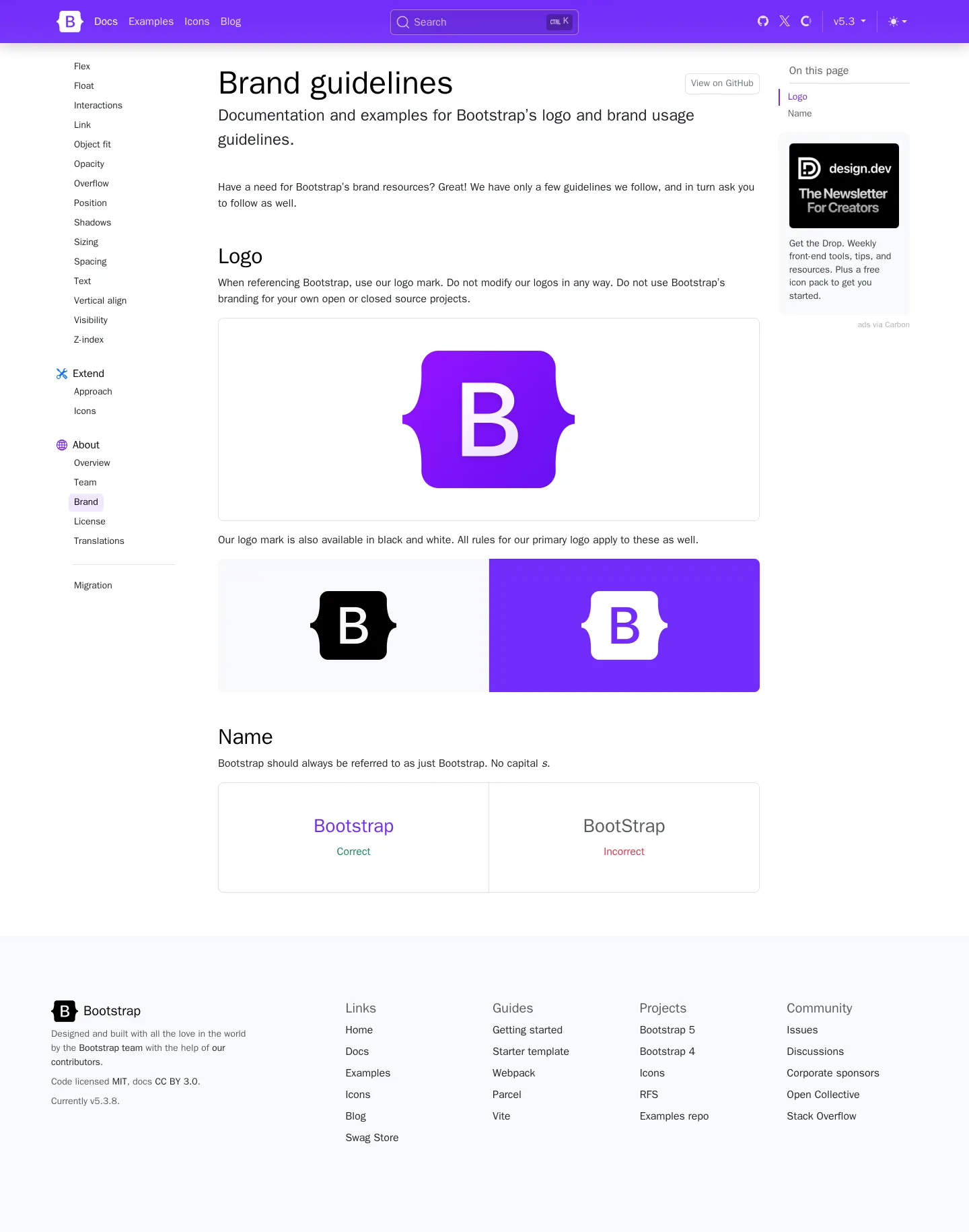
Brand guidelines documentation page for Bootstrap featuring logo rules and naming conventions.
Want a brand center like Bootstrap’s?
Create your brand center with Freedam ↗Freedam's take
I like how Bootstrap embeds its brand rules right alongside its developer documentation. Instead of sending contributors off to an isolated portal, everything lives inside the main docs tree. The page keeps things delightfully straightforward, focusing primarily on the iconic purple mark and proper naming casing. I appreciate the clear side-by-side demonstration showing Bootstrap with a lowercase s alongside the incorrect camel case version. It is an unpretentious, developer-first approach to identity guidelines that tells you exactly what you need to know without getting bogged down in unnecessary corporate ceremony.
At a glance
- Sections
- Logo · Name
- Tone
- A concise, technical, and developer-friendly documentation style focused on clear usage rules.
What I noticed
- The documentation displays the primary purple Bootstrap 'B' within curly braces logo mark inside a large preview box.1
- The page displays alternate logo mark presentations in black and white.2
- The Name section provides side-by-side examples illustrating 'Bootstrap' as correct and 'BootStrap' as incorrect.3
- A dedicated Logo section instructs users not to modify logos and to only use the logo mark.4
Numbers refer to the screenshots above.
What I could not see
- Could not inspect downloadable asset files or vector formats directly from the captured brand page.
- Could not see full typography specifications or color palette codes on this specific brand subpage.
Ideas to borrow
- Display side-by-side 'Correct' and 'Incorrect' examples to immediately resolve common casing errors in the brand name.3
Quick answers
What is the correct capitalization for Bootstrap's brand name?
The correct spelling and capitalization is 'Bootstrap', while 'BootStrap' is explicitly marked as incorrect.3
Reviewed on 25 September 2026. Request a correction · I built this