Audiomack press and asset kit
Audiomack's style guide is a single-page brand kit offering downloadable logos in PNG and SVG formats, press graphics, and a core color palette.
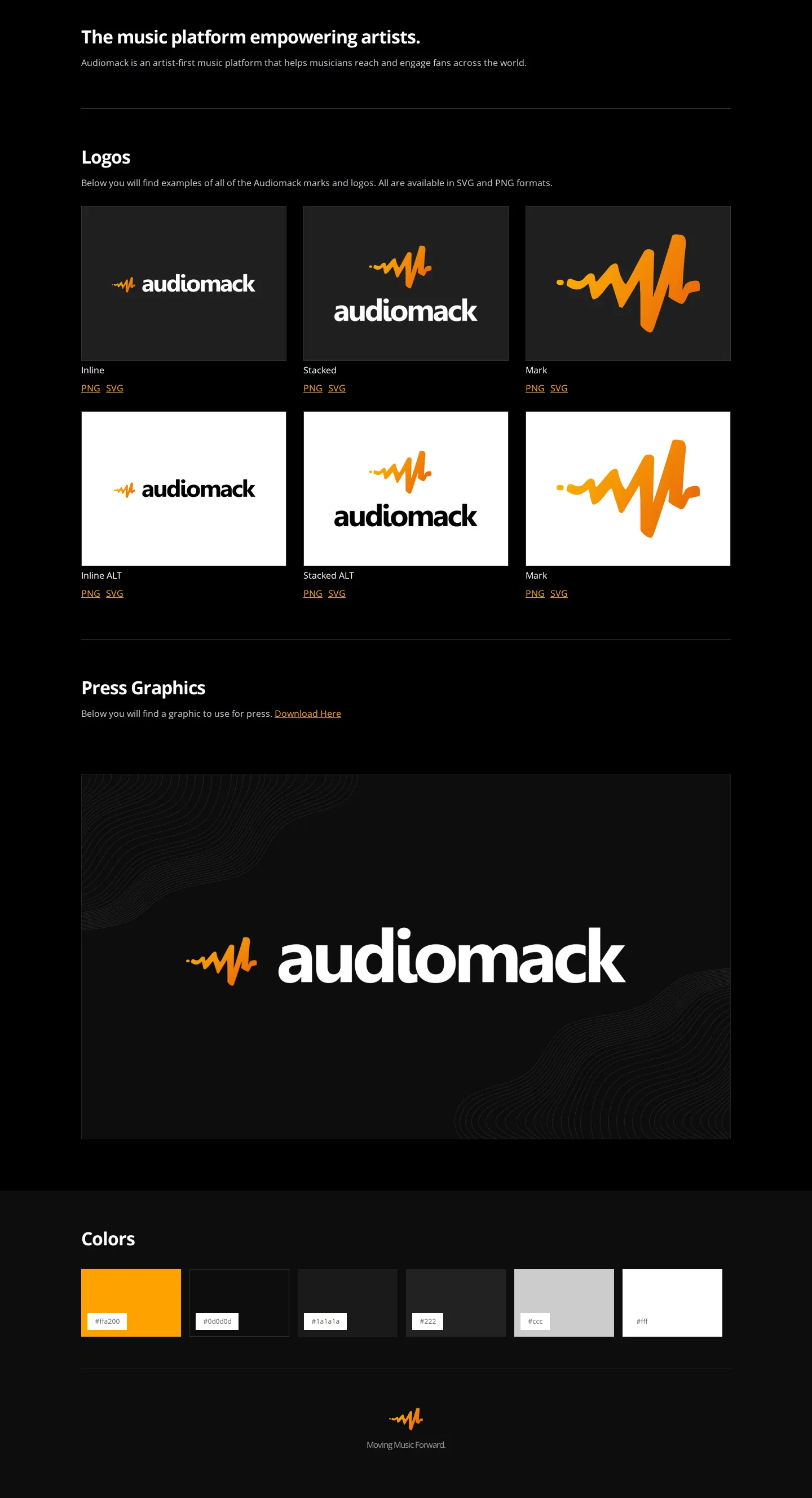
Brand style guide page showing Audiomack's logo variations on dark and light backgrounds, press graphics link, and hex color swatches.
Want a brand center like Audiomack’s?
Create your brand center with Freedam ↗Freedam's take
I like how straightforward this one-page kit is for anyone needing core Audiomack assets. There is no complicated hierarchy to navigate. I immediately see the inline, stacked, and standalone marks across both dark and light contexts, with direct links for vector and raster files right underneath. The press graphics area points to a single direct download, followed by a clean horizontal strip of six color swatches with hex codes. It provides the essential visual basics quickly without getting bogged down in extensive rules or unnecessary multi-page structures.
At a glance
- Sections
- Logos · Press Graphics · Colors
- Downloads
- PNG, SVG
- Tone
- Functional and concise presentation of essential media assets.
What I noticed
- The logos section displays inline, stacked, and mark-only versions on both dark and light backgrounds, each accompanied by PNG and SVG download links.12
- The colors section presents a horizontal row of six rectangular swatches labeled with their hex values.3
- A press graphics section provides a preview image alongside a download link.4
Numbers refer to the screenshots above.
What I could not see
- No typography guidelines, logo clearspace specifications, or brand voice documentation were visible on the captured page.
Ideas to borrow
- Arranging logo variations in paired dark and light background blocks with immediate SVG and PNG links makes asset selection fast and intuitive for external media.
Quick answers
What file formats are available for Audiomack logo downloads?
Logo variants are available for direct download in PNG and SVG formats.256
Which logo lockups does Audiomack provide?
Audiomack provides Inline, Stacked, and Mark versions on both dark and light backgrounds.1
Reviewed on 25 September 2026. Request a correction · I built this
Similar brand centers
All brand centers →Audiomack concentrates its single-page guide on logos, press graphics, and color swatches, whereas Discord also incorporates clearspace specifications, illustration banners, and legal usage guidelines. Unlike Bandcamp, which focuses on embeddable badges and zip downloads, Audiomack provides standalone PNG and SVG links for each logo variant.