Apple Music brand guidelines
Apple Music provides single-page identity guidelines featuring collapsible sections for badges, lockups, icons, and legal requirements.
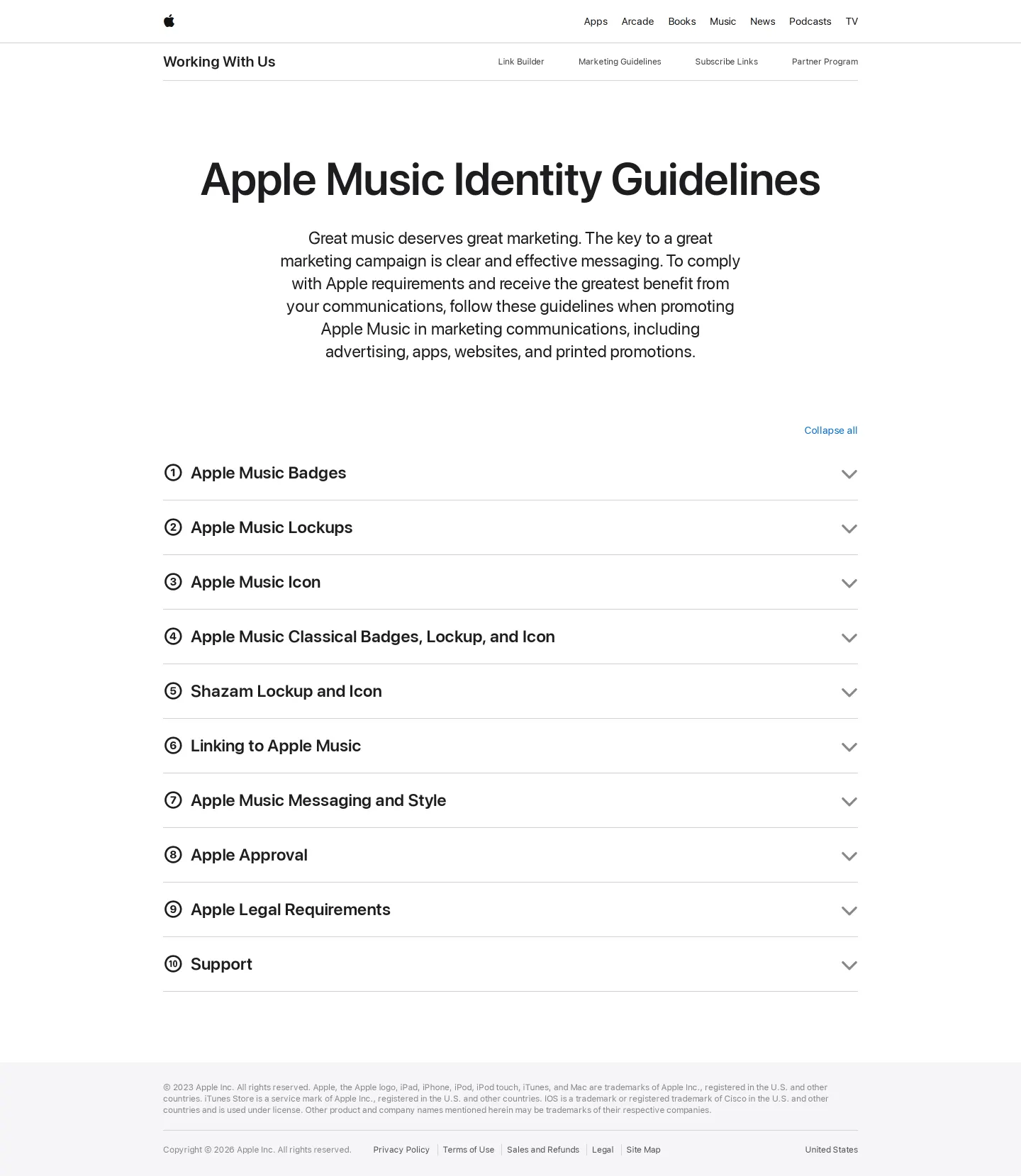
The Apple Music Identity Guidelines page displaying collapsible accordion sections for brand badges, lockups, and icons.
Want a brand center like Apple Music’s?
Create your brand center with Freedam ↗Freedam's take
I like the clean utility of the Apple Music guidelines page. Instead of spreading things out across multiple pages, the site gathers badges, lockups, and icons for both Apple Music and Apple Music Classical into structured accordion sections. It even includes Shazam assets right alongside them. The navigation links up to partner tools like the link builder and partner program, keeping marketing practicalities close at hand. Having direct download links right next to the corresponding badges makes it fast to find assets, all presented with minimal fuss.
At a glance
- Sections
- Apple Music Badges · Apple Music Lockups · Apple Music Icon · Apple Music Classical · Shazam Lockup and Icon · Linking to Apple Music · Apple Music Messaging and Style · Apple Approval · Apple Legal Requirements · Support
- Tone
- Direct and utilitarian instruction tailored for partners and marketing communications.
What I noticed
- The guidelines page uses collapsible accordion sections to organize identity assets like badges, lockups, and icons.123
- Dedicated sections cover Apple Music Classical and Shazam assets alongside core Apple Music guidelines.453
- The sub-navigation bar links out to partner resources including a link builder and partner program.678910
- Download links point to external shortened URLs and Box storage links.1112131415
Numbers refer to the screenshots above.
What I could not see
- Could not inspect the expanded contents of each accordion section without interactive toggles.
- Specific image asset file formats were not explicitly listed on screen.
Ideas to borrow
Quick answers
Reviewed on 25 September 2026. Request a correction · I built this