Government of Canada brand guidelines
Canada's Federal Identity Program standard defines core typography, colour palettes, and symbol applications across government media, products, and signage.
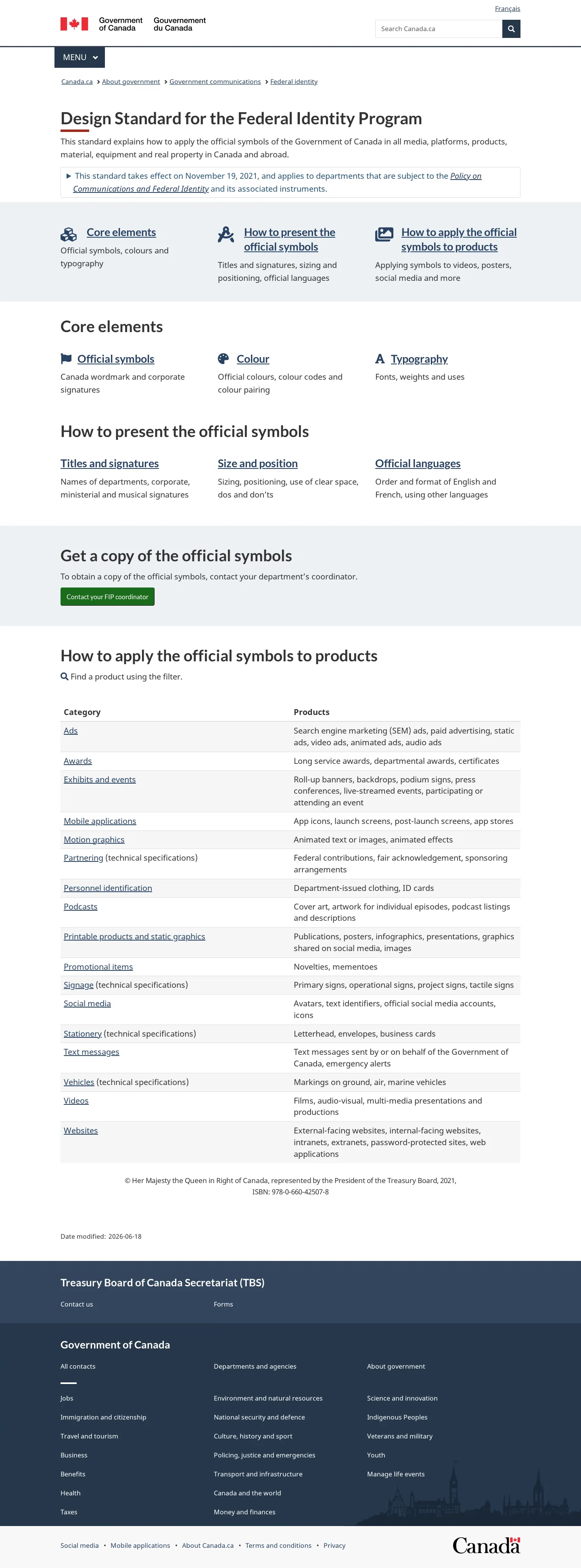
Overview of the Federal Identity Program Design Standard outlining core elements, symbol usage, and product category tables.

Colour specification page displaying standard swatches, signage palettes, and conversion tables for print, digital, and vinyl.
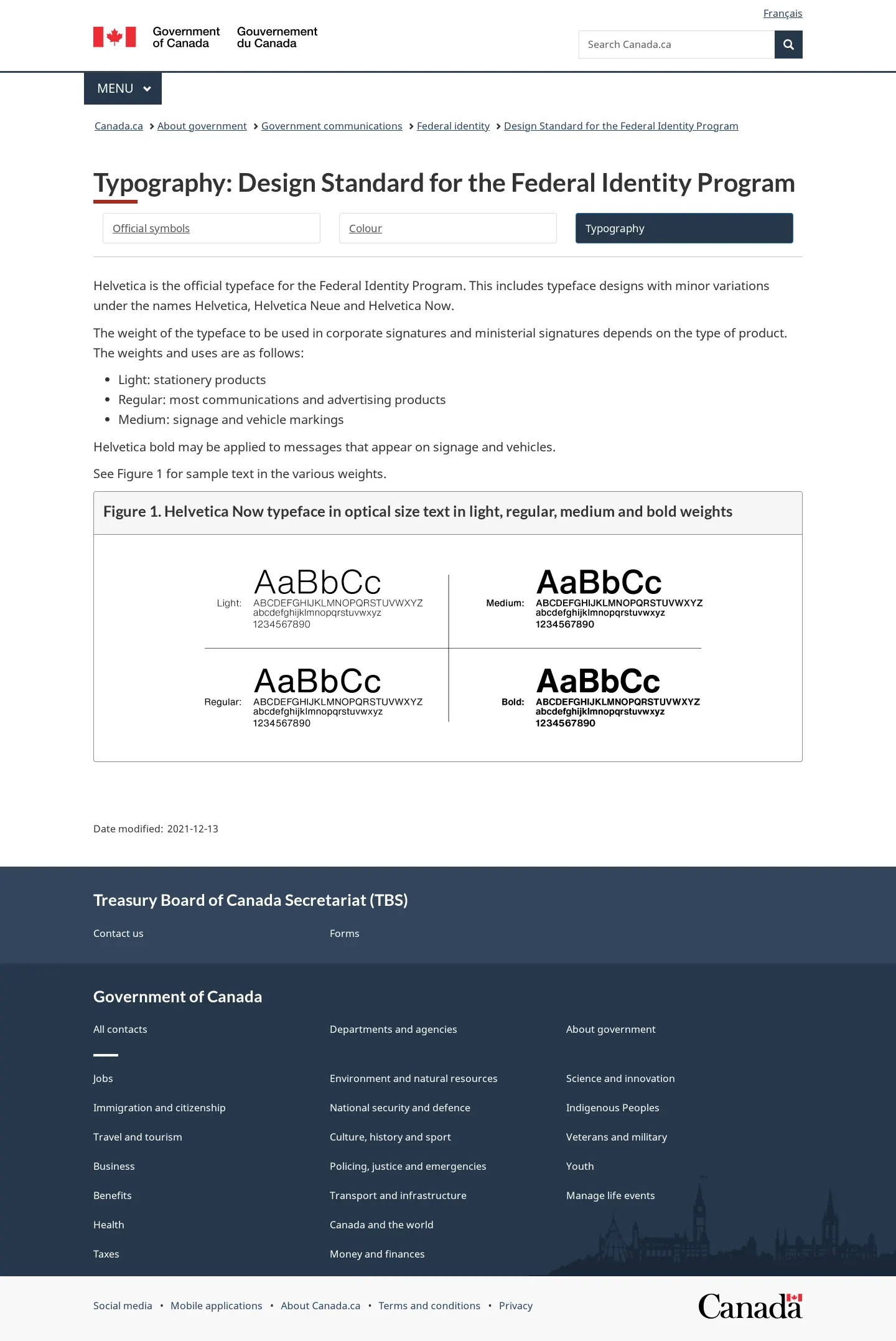
Typography standards page detailing Helvetica usage across Light, Regular, Medium, and Bold weights with specimen charts.
Want a brand center like Government of Canada’s?
Create your brand center with Freedam ↗Freedam's take
I spent time reading through Canada's Federal Identity Program documentation on Canada.ca, and I appreciate how systematic it is. Rather than bundling rules into a dense manual, each deliverable from motion graphics to promotional novelties gets its own dedicated product page with clear requirements. The core specifications are refreshingly pragmatic, relying on Helvetica and a tight primary palette of red, black, white, and pewter grey. I was especially drawn to the separate signage specifications, which define specialized colours and vinyl values for real-world physical infrastructure alongside digital standards.
At a glance
- Sections
- Core elements · How to present the official symbols · Get a copy of the official symbols · Product application · Supporting tools
- Downloads
- PNG
- Tone
- Formal, instructive, and policy-driven documentation for federal public sector communications.
What I noticed
- The Federal Identity Program specifies Helvetica as its official typeface, outlining distinct roles for Light, Regular, Medium, and Bold weights.12
- The colour documentation provides conversion tables for both standard identity colours and a specialized signage palette, detailing Pantone, CMYK, RGB, and vinyl values.345
- Instead of direct public download links for the official symbols, the portal directs staff to a 'Contact your FIP coordinator' button.6
- Guideline pages for formats like motion graphics, promotional items, and social media provide a filterable table of product categories.78910
Numbers refer to the screenshots above.
What I could not see
- Could not inspect the full symbol assets as official symbol downloads require contacting an internal FIP coordinator.
- Could not view full contents of expandable accordion sections across product pages.
Ideas to borrow
Quick answers
How can I obtain the official Government of Canada symbols?
Official symbols are not provided as direct public file downloads; users must use the 'Contact your FIP coordinator' link.6
Reviewed on 10 November 2026. Request a correction · I built this
Similar brand centers
All brand guidelines →